
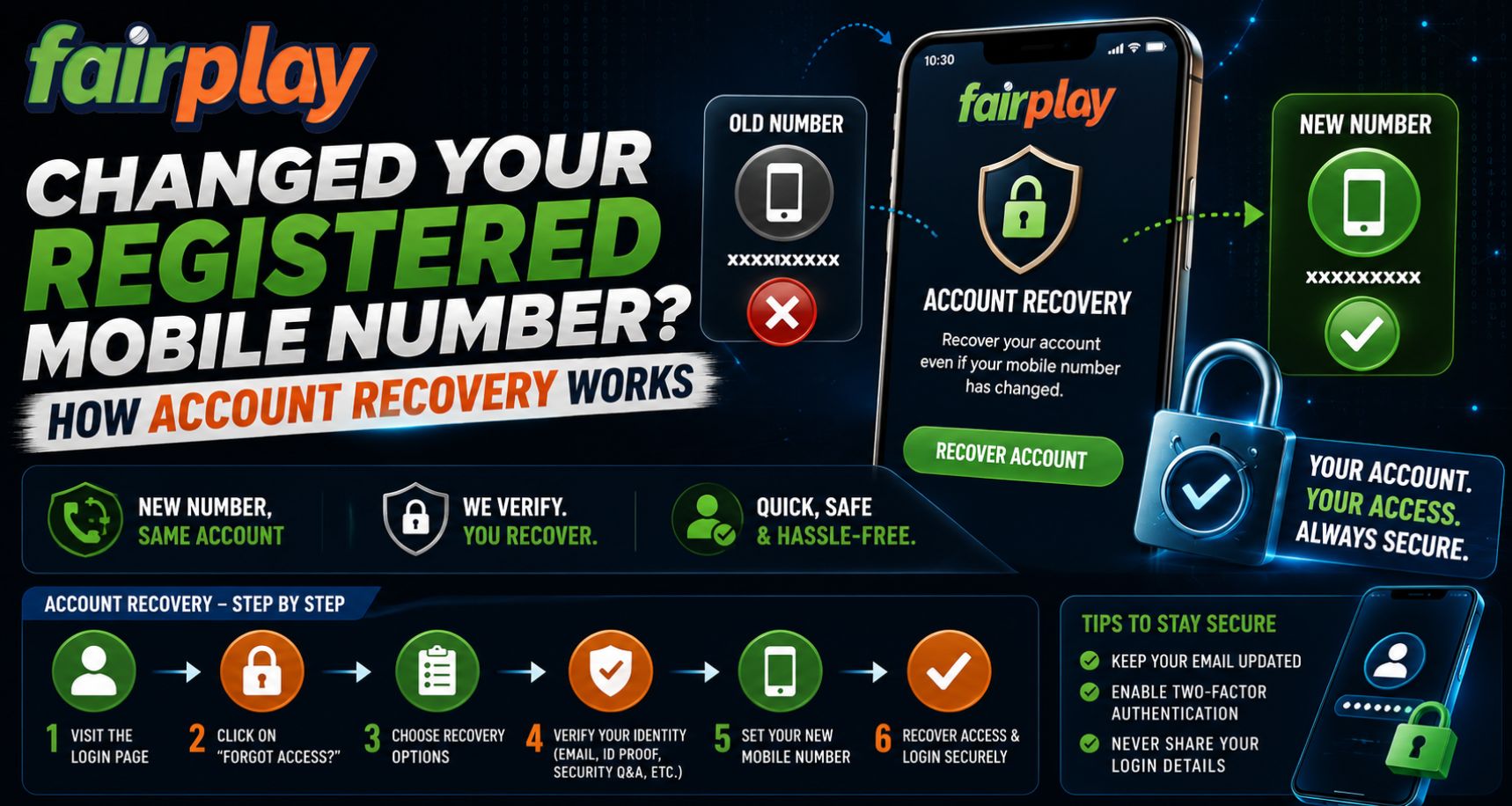
Changing a mobile number is common, but it can become an account-access problem when the old number is still connected to your profile. If OTPs, password-reset messages, or security alerts continue going to a number you no longer control, recovery may require additional verification. For Fairplay24 users, understanding the usual account-recovery process can help avoid confusion and reduce the risk of sharing sensitive information with the wrong person.
Why Your Registered Mobile Number Matters
A registered phone number can be connected to several security functions. Depending on the platform, it may be used for:
- Login verification
- One-time passwords
- Password recovery
- Security notifications
- Confirmation of profile changes
- Identity verification
- Support communication
If you permanently change your SIM or mobile number, leaving the old one attached to the account may make future access more difficult.
Someone using the Fairplay24 App should therefore update contact information promptly whenever an official profile-update option is available.
What Happens If You Still Have Account Access?
The easiest situation is when you can still sign in with your username and password.
After completing a Fairplay24 Login, check the account, profile, security, or personal-details section to see whether the registered phone number can be changed.
A typical update process may involve:
- Opening account settings.
- Selecting the registered mobile number.
- Entering the new number.
- Completing any required verification.
- Confirming that the new number appears correctly.
- Signing out and checking that future verification uses the new details.
Not every platform allows users to change a registered number directly, so the available options may differ.
What If You Cannot Receive OTPs on the Old Number?
The situation becomes more complicated if login requires an OTP that is being sent to a mobile number you no longer have.
Repeatedly requesting new OTPs normally will not solve the problem because the codes will continue going to the registered number.
Instead, look for an official recovery or support option.
When contacting support, you may be asked to confirm information connected with the account. The exact requirements depend on the platform’s verification policy.
Possible details could include:
- Username or account ID
- Registered name
- Previous mobile number
- New mobile number
- Registered email address
- Approximate account creation information
- Other ownership-verification details
Fairplay24 Com users should only provide requested information through an official support channel.
Why Additional Verification May Be Required
Changing a registered mobile number is a sensitive security action.
If platforms allowed anyone to replace a phone number without verification, someone who obtained a username or password could potentially redirect security codes to another device.
For that reason, support teams may need to confirm that the person requesting the change is actually the account owner.
This process may take more steps than an ordinary password reset, but those checks help protect account access.
What If You Still Control the Old Number?
If the old SIM is still active, updating your details is usually much easier.
You may be able to receive a confirmation code on the old number and then verify the new one.
Before removing access to an old mobile number, it is sensible to update important accounts first.
Users of the Fairplay24 App can follow the same general principle used for email accounts, banking apps, and other services: update security details before permanently giving up access to an old number whenever possible.
Avoid These Common Recovery Mistakes
Account-recovery problems can become worse when users rush.
Avoid:
- Sharing OTPs with another person
- Sending your password through chat
- Using unofficial support numbers
- Clicking recovery links from unknown messages
- Creating multiple accounts immediately
- Sending identification documents to unverified contacts
- Installing remote-access software at someone’s request
A legitimate recovery process should never require you to reveal your account password or forward an OTP that is meant only for you.
Should You Create a New Account Instead?
Usually, trying to recover the existing account should come before creating another one.
Multiple accounts can cause confusion and may conflict with platform policies. Your original account may also contain transaction records, security history, and existing verification details.
If Fairplay24 Login is unavailable because of an outdated phone number, use the official recovery process first rather than assuming a new registration is the only solution.
What to Do After Recovery
Once account access has been restored, review the security information connected with the profile.
Check:
- Current mobile number
- Registered email
- Password
- Recent login activity
- Active sessions or devices
- Recovery options
If anything unfamiliar appears, change the password and contact official support.
Fairplay24 Com users should also make sure that the newly registered number is one they control and expect to keep active.
How to Prevent the Same Problem Later
A few simple habits can make future recovery easier.
- Keep your registered phone number current.
- Maintain access to your registered email.
- Use a unique password.
- Review profile information periodically.
- Sign out of devices you no longer use.
- Update contact details before changing SIMs where possible.
These steps can reduce reliance on manual support if you need to recover access later.
Final Thoughts
Changing your mobile number does not necessarily mean losing access to an existing account. If you can still sign in, update the registered number through the available account settings. If OTPs are going to an old number, use the platform’s official recovery process and be prepared to confirm account ownership.
For Fairplay users, the most important security rule is to use verified support channels and never share passwords or OTPs during recovery. Keeping contact information current can make future login and verification much simpler.
FAQs
What should I do if my OTP is going to my old mobile number?
Check whether the platform provides another verification or account-recovery option. If not, contact official support and request help verifying ownership.
Can I change my registered mobile number after logging in?
Some platforms provide this option in account or security settings, while others require support verification.
Will support ask for my password?
You should not share your account password or OTP with anyone. Verification should use other appropriate account information.
Should I create a new account if I lose access to my old number?
It is usually better to try recovering the existing account first, especially if duplicate accounts are restricted.
What should I check after recovering my account?
Review your registered mobile number, email, password, active sessions, and recent login activity to make sure the account information is correct.